Klist: Your online task and appointment manager
Never miss deadlines or forget appointments.
Personal or professional, Klist helps organize your schedule and routine.
Features
Easily manage your personal and professional tasks
Success begins with a well-organized schedule! Daily routines have become more complex and it's impossible to remember everything. Klist is here to help with your task lists and appointments.
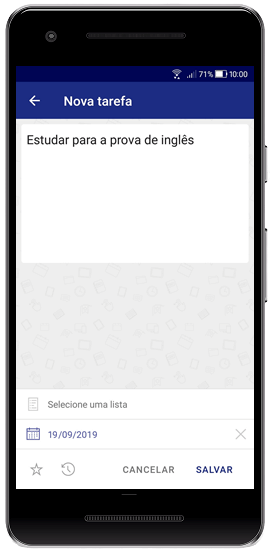
- Record what is important and get reminded at the right time.
- Couldn't complete something? No problem! Reschedule tasks in bulk with drag and drop.
- Want to see everything on your plate this week? List all your tasks with a single click.
All of this and much more, simple as that with Klist!
List and calendar
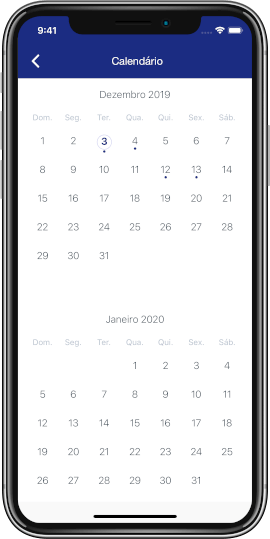
Get an overview of your tasks and appointments in lists, or stay focused by viewing them on the specific date they are scheduled.
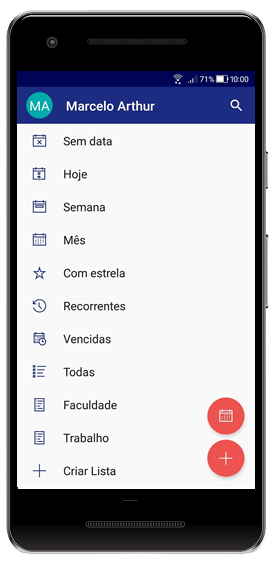
Today, week, and month lists
View short and medium-term tasks and appointments, and plan ahead with ease.
Drag and drop multiple tasks at once
Reschedule multiple tasks at once by dragging and dropping between dates. Simple as that!
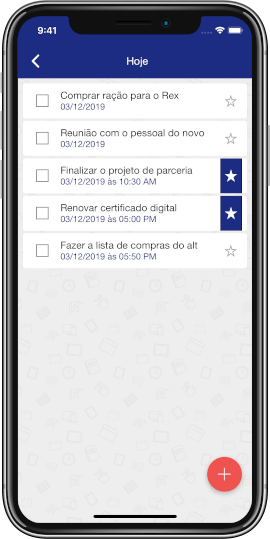
Highlight what matters with a star
Mark special tasks with a star and see first what cannot wait.
Get notifications for your tasks
Stay on top of your upcoming and overdue activities with mobile notifications and email reminders.
Overdue task list
Missed a deadline? Oops! Check all past-due tasks quickly with a single click.
Create subtasks
Subtasks help break down a task into smaller pieces and make execution easier.
Tasks that repeat on their own
Set the recurrence once and Klist creates the next task for you, every day, week, month or year.
We know you can't remember everything
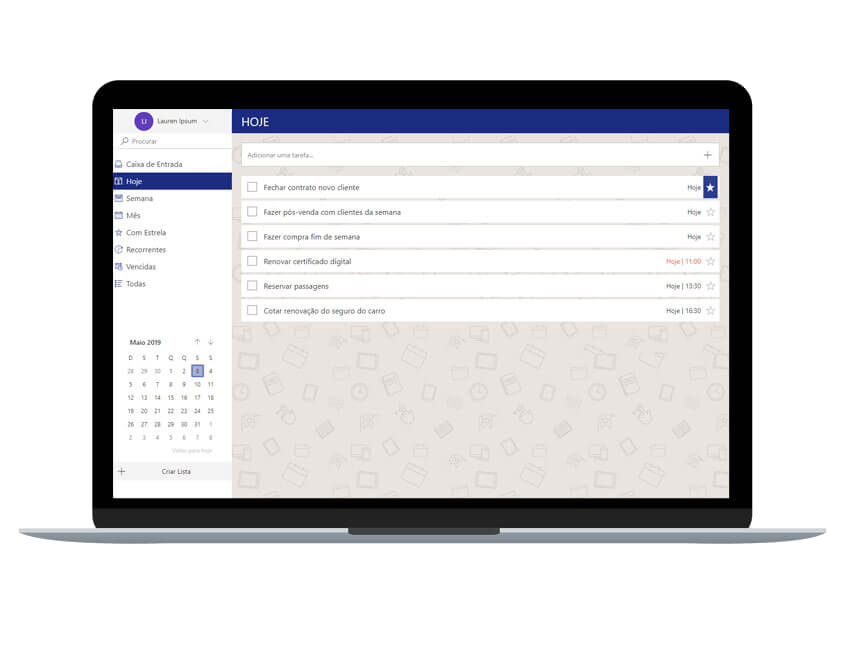
The best of both worlds
Schedule and calendar together make creating and viewing tasks and appointments easy!
Schedule an activity for the future and forget about it for now
Don't get overwhelmed seeing activities and appointments far in advance! Always keep a clean list of your nearest to-dos.
Reschedule tasks in bulk with drag and drop
Yes! With Klist you can reschedule tasks in bulk by dragging and dropping!
Prioritize your special tasks and appointments
Star your tasks and appointments to view them highlighted in your daily schedule.
Free or premium, choose the best plan for you
Synced across all your devices
Web, Android and iOS always show the same tasks.
Reminders that let nothing slip
Notifications and emails right when you need them.
Organize it your way
Subtasks, stars, lists, recurrence and drag and drop.
Start free, upgrade when you want
No card needed to start and no limits on Plus.
Free
Use Klist for free with essential features
R$0
- Create up to 50 tasks per month
- Receive browser alerts
- Reschedule tasks with drag and drop
- Get email reminders for overdue tasks
- Star up to 5 special tasks
- Create up to 5 subtasks per task
- Schedule tasks up to 90 days in advance
- May contain ads
- Keep tasks synced on desktop and mobile
Plus Monthly
Get the full power of Klist for a small monthly fee
R$4,90/month
- Everything in the Free plan, but without limits!
- Create unlimited tasks
- Create unlimited custom folders
- Get email reminders for upcoming and overdue tasks
- Star unlimited special tasks
- Create unlimited subtasks
- Schedule future tasks without limits
- No ads
Plus Yearly
Use all Klist features and save 17% per year
R$49,00/year
- Everything in the monthly plan, with a discount equivalent to two free months!
Take Klist with you wherever you go. Download the free app for Android or iPhone.


Still have questions? We are here to help!
What is Klist?
Klist is an online task and appointment manager, or you can think of it as your online to-do list and planner.
How can Klist help organize my daily routine?
With it you can record all your tasks and appointments, personal or professional, reschedule them easily with drag and drop, star special tasks to help prioritize activities, and create recurring tasks.
Can I reschedule multiple tasks at once with drag and drop?
Yes, if you have multiple tasks and appointments and want to reschedule them in bulk, you can use drag and drop to move them from one date to another.
Contact
Questions or suggestions?